Step by step electronics recycling and data wiping best practice
Posted on 04/09/2026
If you have an old laptop in a drawer, a cracked phone in a kitchen basket, or a stack of office devices waiting to be cleared, the process can feel oddly stressful. What do you wipe first? What can be recycled? And how do you make sure personal data is truly gone before a device leaves your hands?
This guide walks you through step by step electronics recycling and data wiping best practice in plain English. You will learn how to sort devices, back up what matters, wipe data properly, and pass items into the right recycling route without creating extra risk. For households, landlords, and businesses alike, the aim is the same: protect information, reduce waste, and make the whole job cleaner and easier.
To keep the process practical, we will also cover common mistakes, compliance considerations, and the decision points that matter most when you are dealing with mixed electronics rather than one tidy device. Let's face it, most clear-outs are not neat little textbook examples. They're messy. That's normal.
Why Step by step electronics recycling and data wiping best practice Matters
Old electronics are not just bits of plastic and metal. They often hold passwords, photos, documents, work files, saved logins, browser history, app data, and even access to bank or cloud accounts. A device that looks dead can still be surprisingly chatty if someone knows where to look. That is why secure data wiping is the first job, not an afterthought.
The recycling side matters just as much. Phones, tablets, monitors, routers, printers, and cables all contain recoverable materials, but they can also include components that should not go into general rubbish. If handled badly, they can leak waste, create safety issues, or simply end up in the wrong place.
There is also the practical side. A careful process saves time later. If you sort devices properly now, you avoid second-guessing yourself when the bag is already at the door. In a household move, an office clear-out, or a bereavement clearance, that peace of mind is worth a lot.
Expert summary: wipe first, verify second, recycle last. That simple sequence avoids the most common failure point: assuming a device is "empty enough" when it really isn't.
If you are clearing a home as part of a wider tidy-up, it can help to think of electronics as one small part of a bigger reset. Related reading like the stress benefits of decluttering and sustainable waste disposal methods can make the process feel less overwhelming and a bit more intentional.
How Step by step electronics recycling and data wiping best practice Works
The process is straightforward when you break it into stages. First, you identify what you have. Then you protect any data you want to keep. After that, you remove access to accounts, wipe the device using an appropriate method, and separate items for reuse, repair, or recycling.
For basic home devices, the process may be as simple as signing out of accounts, removing storage cards, doing a factory reset, and sending the item to an approved electronics recycling route. For business assets, the process can be more formal, especially if the equipment held customer data, employee records, or commercially sensitive information.
A good rule of thumb: the more sensitive the data, the more carefully you should verify the wipe. If you are not sure whether a simple reset is enough, treat it as a risk decision rather than a guess. That little pause can save a lot of trouble.
When a clear-out includes mixed waste, it can be helpful to organise everything together first. If you're already planning a house or office tidy, services such as house clearance or office clearance in London can simplify the physical side while you focus on the data side separately.
Key Benefits and Practical Advantages
- Protects personal and business data before equipment changes hands.
- Improves recycling quality by keeping electronics out of general rubbish.
- Reduces clutter around the home or workplace.
- Supports reuse and refurbishment when a device still has life left in it.
- Helps with compliance where records, chain of custody, or business obligations matter.
- Makes disposal decisions clearer for batteries, cables, chargers, and accessories.
There is a quieter benefit too. Once you have handled your old kit properly, you stop mentally carrying it. No more half-wondering whether a forgotten tablet in a drawer still contains old photos or saved logins. That sort of mental tidy-up is real, even if it sounds a bit small.
For households, this often links naturally with broader clear-out work such as clutter control after a clearout or household rubbish removal. For companies, it can sit alongside commercial waste collection or an office exit plan.
Who This Is For and When It Makes Sense
This process is useful for almost anyone, but it becomes especially important in a few common situations.
- Households clearing out old phones, laptops, game consoles, printers, and routers.
- People moving home, especially if devices have been used for banking, work, or travel documents.
- Families handling inherited belongings where devices may still contain personal information.
- Landlords and letting agents dealing with devices left behind after a move.
- Small businesses and offices replacing desktops, screens, and storage devices.
- Schools, charities, and community groups managing old tech responsibly.
It also makes sense whenever a device is being donated, sold, repaired, or passed to someone outside your immediate trust circle. If you are handing a laptop to a family member, that is still a data risk if the machine was ever used for work, email, or cloud storage. A reset is not overkill. It is common sense.
If the clear-out is part of a larger move, you may also find it useful to read steps to clear your house for a move overseas or organising your space for moving overseas. The same habits help keep electronics from becoming last-minute chaos.
Step-by-Step Guidance
Here is the practical version. No fluff, no drama. Just the sequence that works best in real life.
1. Gather every device in one place
Start by collecting all electronics you plan to keep, wipe, donate, recycle, or bin-check for batteries. Don't forget the awkward bits: smart speakers, CCTV kit, fitness trackers, old hard drives, cameras, docking stations, chargers, and memory cards.
A coffee table, hallway floor, or spare room tends to work better than trying to do this piece by piece across the house. Once everything is visible, decisions become much easier.
2. Separate what still has value
Make four rough piles:
- Keep - still in use or needed.
- Reuse or sell - working devices with useful life left.
- Recycle - damaged, obsolete, or unwanted items.
- Special handling - items with batteries, cracked screens, or storage you need to check.
This stage saves time later because you do not waste effort wiping a device that is staying in the house or recycling something that could still be reused responsibly.
3. Back up anything you want to keep
Before wiping anything, copy photos, documents, contacts, and app data to a safe place. For families, this often means photos and videos. For businesses, it may mean records or archived project files. Double-check that the backup opens properly. A backup that cannot be opened is just a very disappointing file copy.
4. Sign out of accounts and remove linked services
Log out of email, cloud storage, app stores, streaming services, and messaging apps. Remove any device from your account list where possible. This is especially important for phones, tablets, smartwatches, game consoles, and laptops.
Where a device has been used for two-factor authentication, banking, or work accounts, review those settings before the factory reset. Small detail, big difference.
5. Remove external media and accessories
Take out SIM cards, SD cards, USB drives, dongles, and memory cards. These are easy to forget, and people do forget them all the time. Batteries should also be removed where the design allows it safely.
If you are dealing with broken chargers or tangled cables, this is a good moment to sort them separately. You can also use responsible methods to get rid of old chargers as a quick reference for that part of the job.
6. Choose the right wipe method
For many consumer devices, a factory reset is a sensible starting point. On some hardware, though, especially storage devices and business machines, that may not be enough on its own. The safest approach depends on the type of device, how it stores data, and how sensitive the information was.
A useful way to think about it:
- Factory reset clears normal user data on many phones and tablets.
- Secure erase or similar tools are better for drives and devices with more persistent storage.
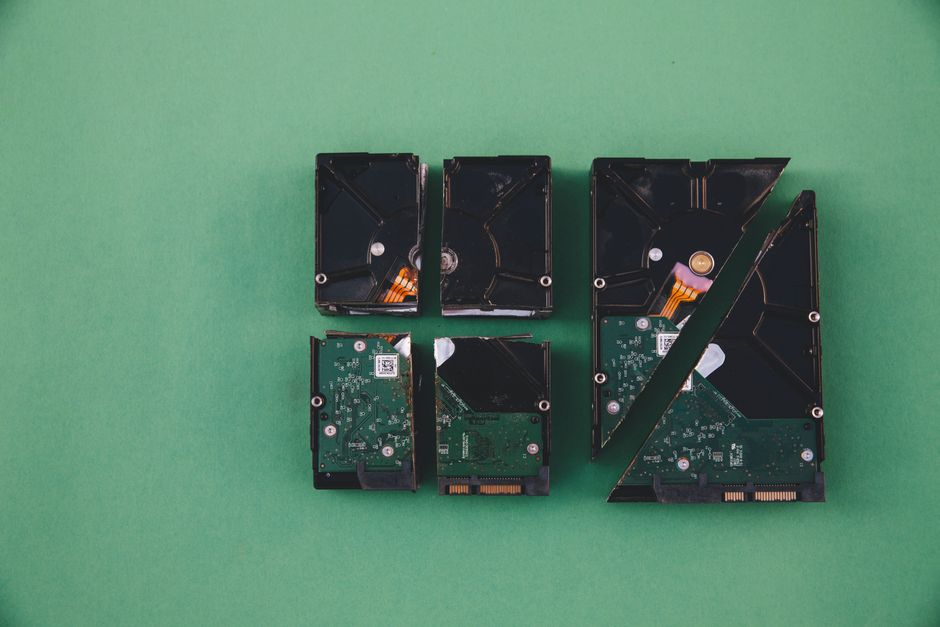
- Physical destruction is sometimes used for damaged drives or highly sensitive media, but only through a proper service route.
If the device held business records or customer information, consider a documented wipe process rather than relying on memory and good intentions. Memory is a terrible audit trail.
7. Verify the wipe
Do not skip this. After wiping, check that the device no longer shows your accounts, photos, documents, or logins. Try powering it on as if you were the next owner. If you can still see personal data, the job is not done.
For business collections, keep a simple record of serial numbers, device type, and wipe outcome. That helps if questions come up later.
8. Sort items for repair, reuse, or recycling
Working devices may be suitable for donation, resale, or redeployment. Damaged equipment should go to a responsible recycling route, ideally through an electronics disposal service that understands sorting, recovery, and safe handling.
For larger clear-outs, electronic waste disposal is the most directly relevant next step. If your project includes mixed junk from an office or home, a broader route like waste clearance may be easier.
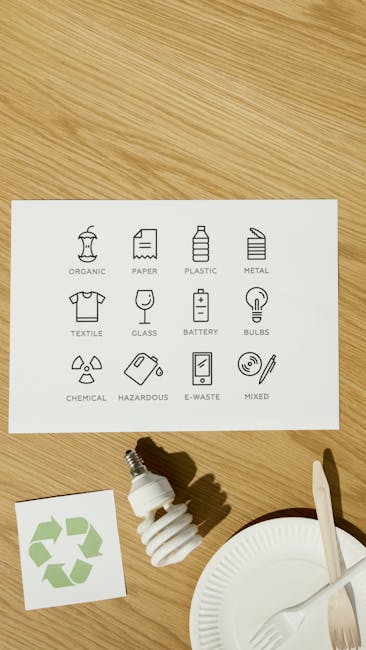
9. Handle batteries and hazardous components carefully
Loose batteries, swollen batteries, damaged power packs, and old lamps should never be treated casually. Keep them separate from ordinary scrap. If something looks puffed up, leaking, hot, or oddly shaped, stop and handle it with extra care.
Our advice here is simple: if in doubt, do not force it. Put it aside and ask for the right disposal route.
10. Arrange collection or drop-off
Once everything is sorted, decide whether to drop items off yourself or book a collection. For larger quantities, a professional collection is often easier, especially where access is awkward or time is tight. That can be the difference between a calm afternoon and a very annoying staircase situation.
For business premises, the task often lines up neatly with office clearance in London or commercial waste collection.
Expert Tips for Better Results
- Use a written device list. It sounds old-fashioned, but it stops items from being forgotten under beds, in drawers, or in "temporary" boxes that live there for months.
- Treat smart devices like computers. TVs, speakers, watches, and home hubs may contain accounts or usage history too.
- Do the wipe before the emotional decision. If a laptop is parting gift, if it was once "my first proper work machine", wipe it first and decide later. Sentiment slows people down.
- Keep cables with the correct device pile. That makes reuse or refurbishment much easier and avoids random cable mountains.
- Plan the collection date after the wipe. It prevents "I'll wipe it later" becoming "I can't remember which one I wiped".
- For inherited items, pause before opening. The previous owner may have personal or financial data stored in unexpected places.
One small practical habit we like: put a sticky note on every wiped device saying "done" with the date. It is a tiny thing, but it stops confusion when several similar laptops or phones are on the table together.
Common Mistakes to Avoid
Most problems come from rushing, not from bad intent.
- Only deleting files instead of wiping the device. Deleted files can often still be recovered.
- Forgetting storage cards and removable media. These are easy to miss and often contain the most personal material.
- Leaving accounts signed in. Cloud services, app stores, and messaging accounts need to be removed properly.
- Mixing batteries into general scrap. That is a safety issue, not just a recycling issue.
- Assuming all devices wipe the same way. Phones, tablets, laptops, drives, and smart appliances behave differently.
- Skipping verification. If you do not check the result, you are hoping rather than knowing.
- Recycling through the wrong stream. Electronics belong in an appropriate e-waste route, not mixed with ordinary household rubbish.
There is a classic mistake that happens in offices: somebody thinks the IT team handled it, somebody else thinks facilities handled it, and meanwhile the old machine sits in a cupboard. Nobody means to cause trouble. It just happens. The fix is a clear handover list.
Tools, Resources and Recommendations
You do not need a huge toolkit, but a few items make the job smoother.
| Need | Useful option | Why it helps |
|---|---|---|
| Backup storage | External drive or secure cloud copy | Protects photos, files, and contacts before wiping |
| Small tools | Screwdrivers and a tray for screws | Useful for removing accessible batteries or panels |
| Labeling | Sticky labels or marker pens | Keeps wiped, kept, and recycle piles separate |
| Data wiping | Built-in reset or secure erase method | Clears data more reliably than manual deletion |
| Collection route | Approved e-waste or clearance service | Ensures devices are handled and recycled properly |
For broader waste sorting, a guide like these handy recycling tips can help you build a better household habit rather than treating this as a one-off chore. If you are clearing a whole property, house clearance may fit more naturally than trying to shuttle each item yourself.
Businesses often benefit from a simple internal process too: one person logs the assets, one person confirms the wipe, and one person signs off on collection. Three steps, not twelve. Keeps everyone sane.
Law, Compliance, Standards, or Best Practice
For UK readers, the main point is to stay cautious and sensible around data protection and waste handling. If electronics contain personal or company data, you should treat the wipe as a serious control, not a box-tick. For organisations, that usually means making sure old equipment is handled in line with internal policies, supplier arrangements, and any applicable data protection obligations.
For waste itself, the expectation is that electronics are passed to a suitable recycling route rather than dumped with general rubbish. In practice, that means using a responsible carrier and making sure the disposal route is appropriate for electronic waste, batteries, and any related components.
Where a service provider is involved, it is sensible to check things like waste handling arrangements, insurance, and compliance approach. If you are using a contractor, a page such as waste carrier licence and compliance is the kind of information that helps build trust. Likewise, if safety and access matter, insurance and safety is worth a look.
For sensitive business hardware, some organisations also keep an asset disposal log. That is not glamorous, but it is a very normal and very useful best practice. No drama, just records.
Options, Methods, or Comparison Table
There is more than one way to handle old electronics, and the right choice depends on device condition, data sensitivity, and how much time you have.
| Method | Best for | Strengths | Limitations |
|---|---|---|---|
| Factory reset | Everyday phones, tablets, some consumer devices | Quick and simple | May not be enough for all storage types |
| Secure erase / software wipe | Laptops, drives, business equipment | More thorough than deleting files | Needs the right tool and some care |
| Reuse or refurbishment | Devices still in good working order | Extends product life and reduces waste | Must still be wiped properly first |
| Recycling | Broken, obsolete, or unwanted equipment | Recovers materials and keeps waste out of general rubbish | Should be done through the right channel |
| Physical destruction | Highly sensitive or damaged storage media | Can provide strong finality | Should be handled carefully and usually professionally |
In most homes, a reset plus responsible recycling is enough for standard devices. In most offices, secure erase plus documented handover is the safer pattern. Simple, but not simplistic.
Case Study or Real-World Example
A small design studio in London decided to clear out a storage room that had become a mix of old monitors, laptops, phones, printers, and random cables. Some devices were still working, some had broken screens, and a few had been used by staff years earlier. The team nearly made the classic mistake of putting everything into one pile and dealing with it later.
Instead, they slowed down and split the work into stages. First, they listed every item. Then they checked which machines still had company files or saved logins. The usable laptops were backed up and wiped. The broken kit went to recycling. Chargers and leads were sorted separately. One old phone was found with a live account still attached, which would have been awkward if it had gone straight out the door. That little catch alone justified the extra ten minutes.
By the end of the day, the room was clear, the devices were accounted for, and nobody had to wonder where anything had gone. The team did not need a fancy system. They just needed a calm sequence and a bit of discipline. Truth be told, that is what most electronics clear-outs need.
Practical Checklist
- Collect all electronics in one place.
- Separate keep, reuse, recycle, and special-handling items.
- Back up important files and photos.
- Sign out of accounts and unlink services.
- Remove SIM cards, memory cards, and removable storage.
- Choose the right wipe method for each device.
- Verify that data is actually gone.
- Keep batteries and damaged components separate.
- Use an appropriate electronics recycling or clearance route.
- Record anything sensitive, valuable, or business-related.
Quick takeaway: the safest path is usually not the fastest one in the moment, but it is the one you do not have to revisit later.
Get a free quote today and see how much you can save.
Conclusion
Good electronics recycling is not just about getting rid of old kit. It is about handling your devices in the right order, protecting the data they hold, and making sure useful materials go back into circulation rather than into general waste. Once you get used to the rhythm, it becomes much less of a headache.
The simple formula is worth remembering: sort carefully, wipe properly, verify the result, and recycle through the right route. That works for a single family laptop, a bundle of old phones, or a whole office's worth of equipment. A little patience here goes a long way.
And if you are in the middle of a bigger declutter, do not try to solve everything in one breath. Deal with the electronics properly, then move on to the rest. Bit by bit, the room starts to feel lighter.